
Features
Everything the program does, page by page. Each section leads to its page in the manual.
Live
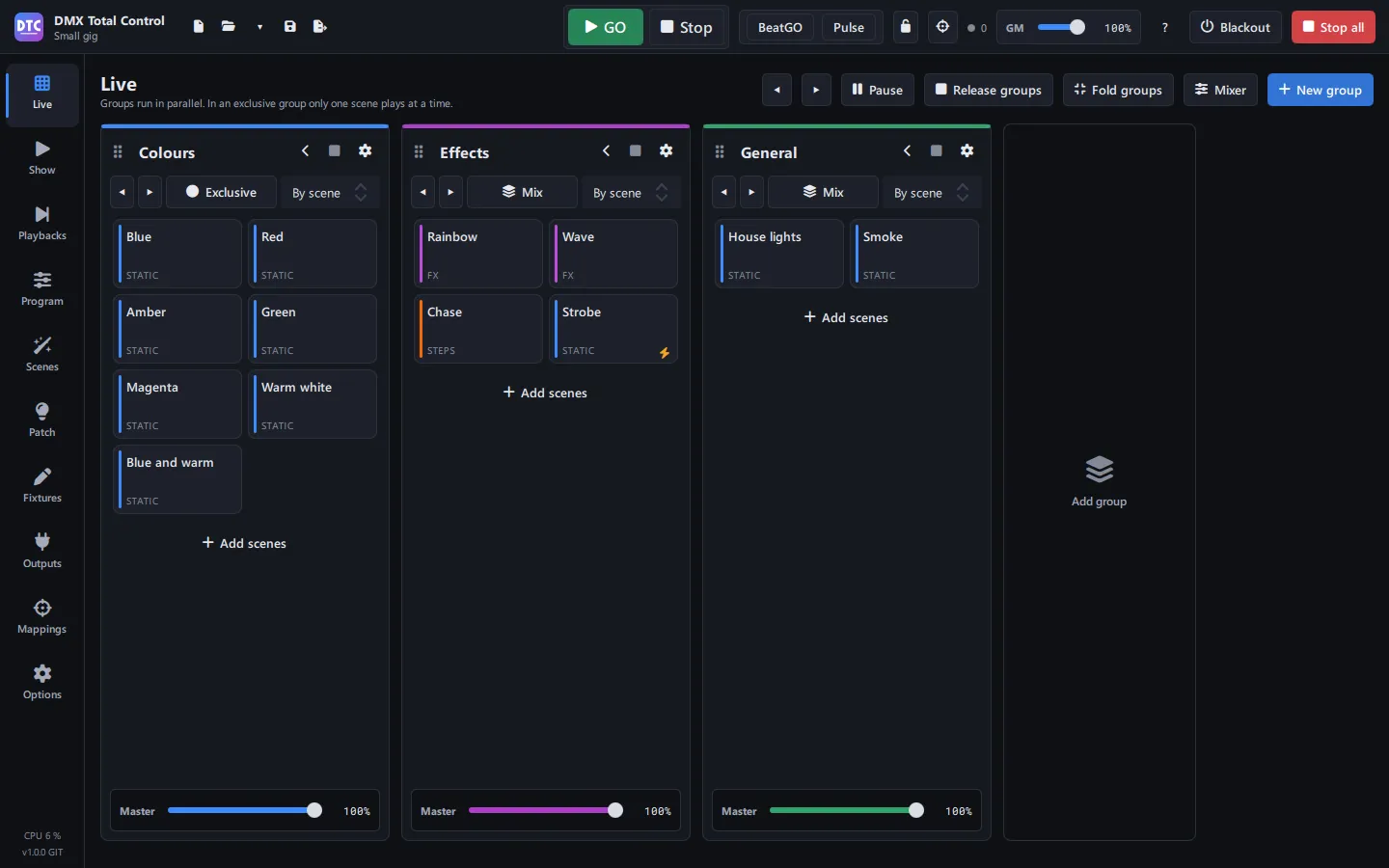
Where you run the show. Scenes are arranged in groups, columns that play in parallel, and each one fires with one button.
- Exclusive groups (one scene at a time, with crossfade) or mix groups
- Master and crossfade time per group, and previous and next scene
- Priorities from 0 to 10 that also rule on intensity
- Release and protection modes, and flash scenes that play while you hold them
- GO and Stop, BeatGO on the beat you tap, Pulse on the peaks of the audio input, and the rhythm you tap by pressing each scene
- Live dials for speed, phase and size per scene
- Mixer per fixture group: dimmer, hue, saturation, strobe, Full, Blackout and Flash
Program
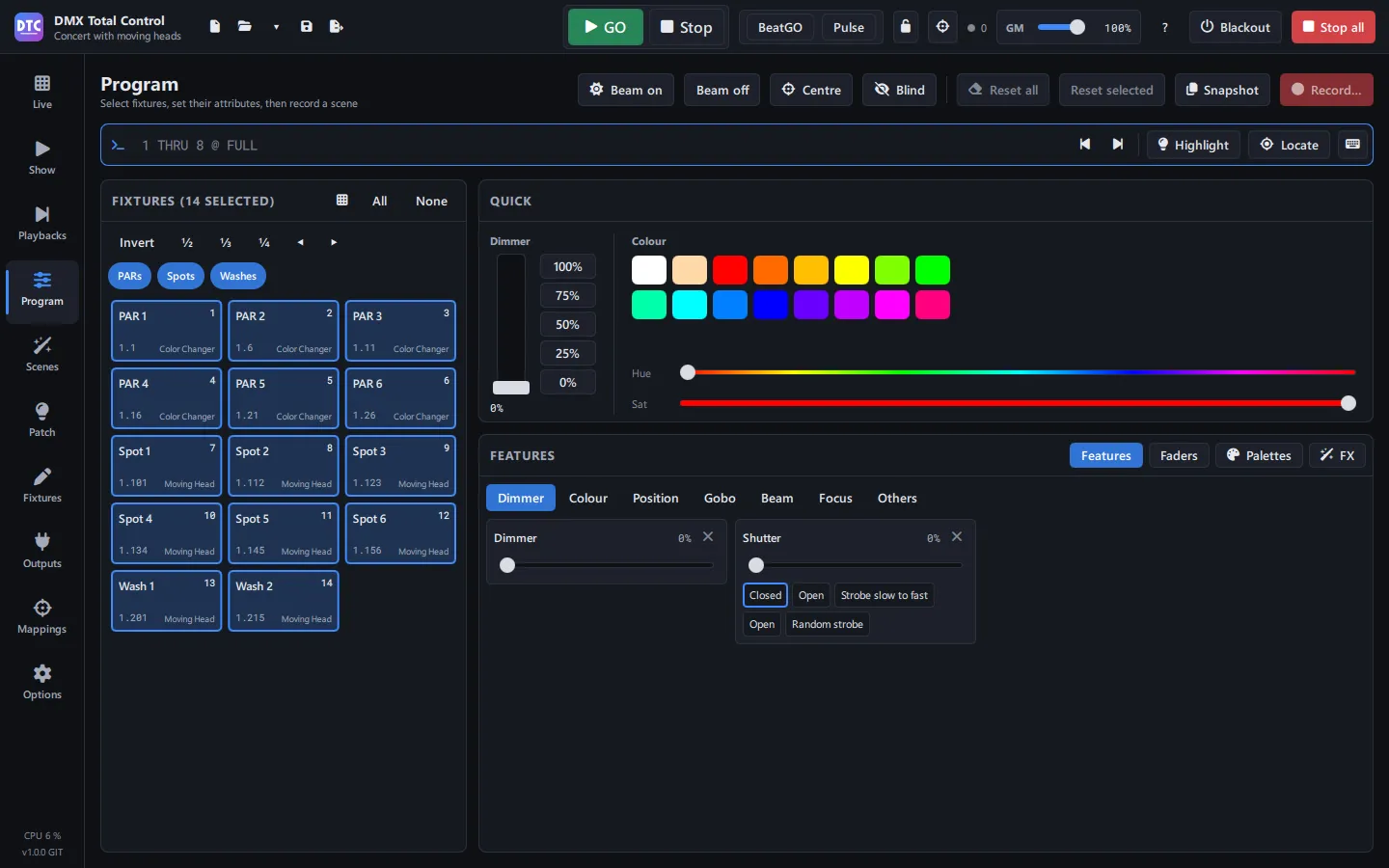
The programmer: select fixtures, give them values live and record them. What is in the programmer overrides everything until you clear it.
- Select on the 2D plan, by fixture group or by number, with invert, ½, ⅓ and ¼
- Dimmer, colour, position, gobo, beam and focus in tabs, with each fixture’s presets and a 16-bit XY grid
- Colour, position and other palettes that scenes follow by reference
- Command line with an on-screen keypad: “1 THRU 8 @ FULL”
- Per-parameter FX with macros (circle, eight, dimmer wave, rainbow…), with shape, size and direction per fixture
- Fans, blind mode, highlight and locate, Beam on, Beam off and Centre
- Snapshots to store what is playing in a scene
Scenes
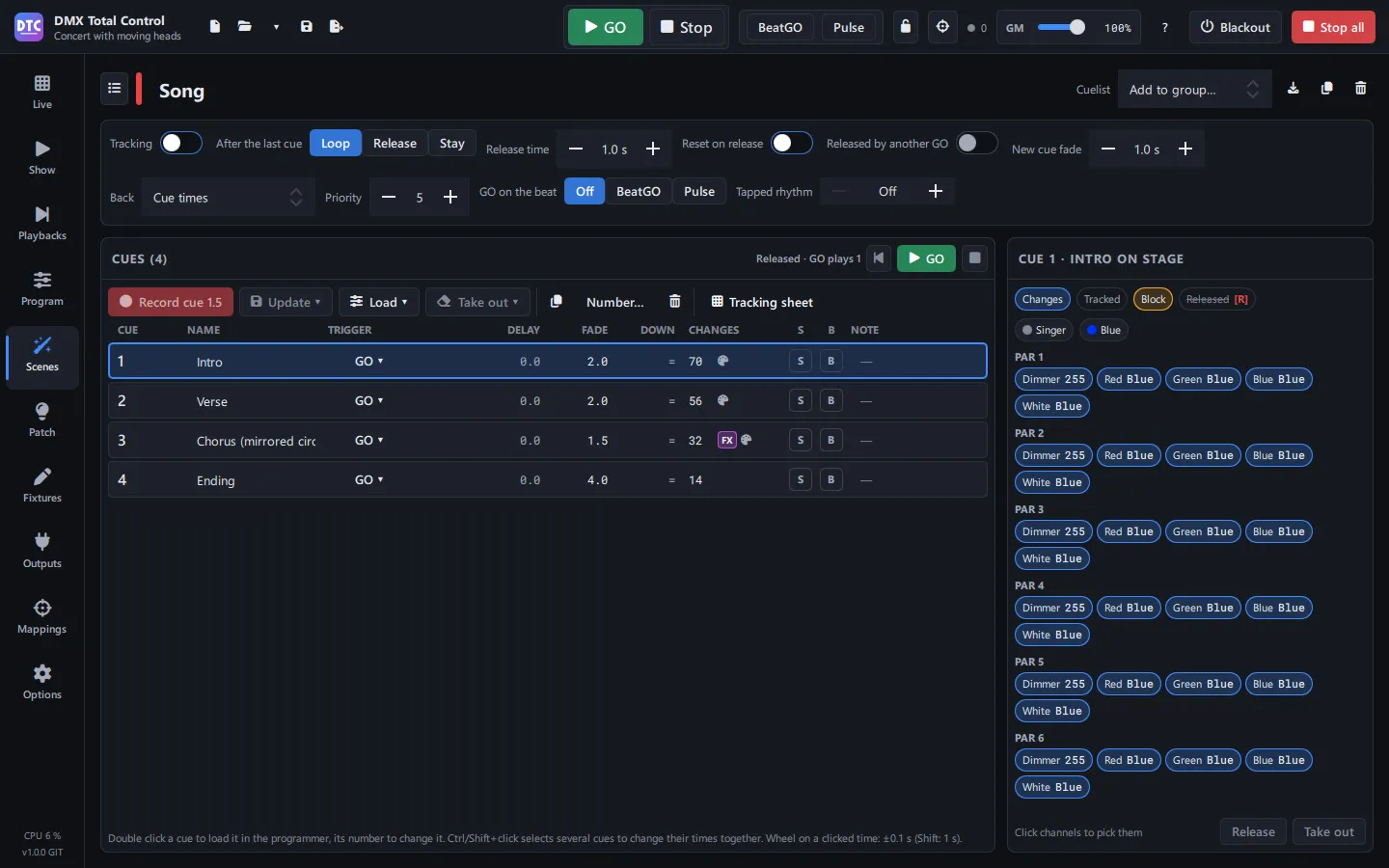
Everything you record: static scenes, step scenes and FX, pixel effects, super scenes with a timeline, and cuelists with tracking.
- Steps with fade in, hold and fade out per step
- Over 60 pixel effects, and colour, image or text mappings on the 2D plan
- Racks that play several scenes as one
- Super scenes with a timeline, audio, and dimmer and phase automation
- Cuelists with tracking, times per cue and a tracking sheet
- Loops, jumping to another scene at the end, and following the show’s BPM
- Folders by song, and scene export and import between shows
Playbacks
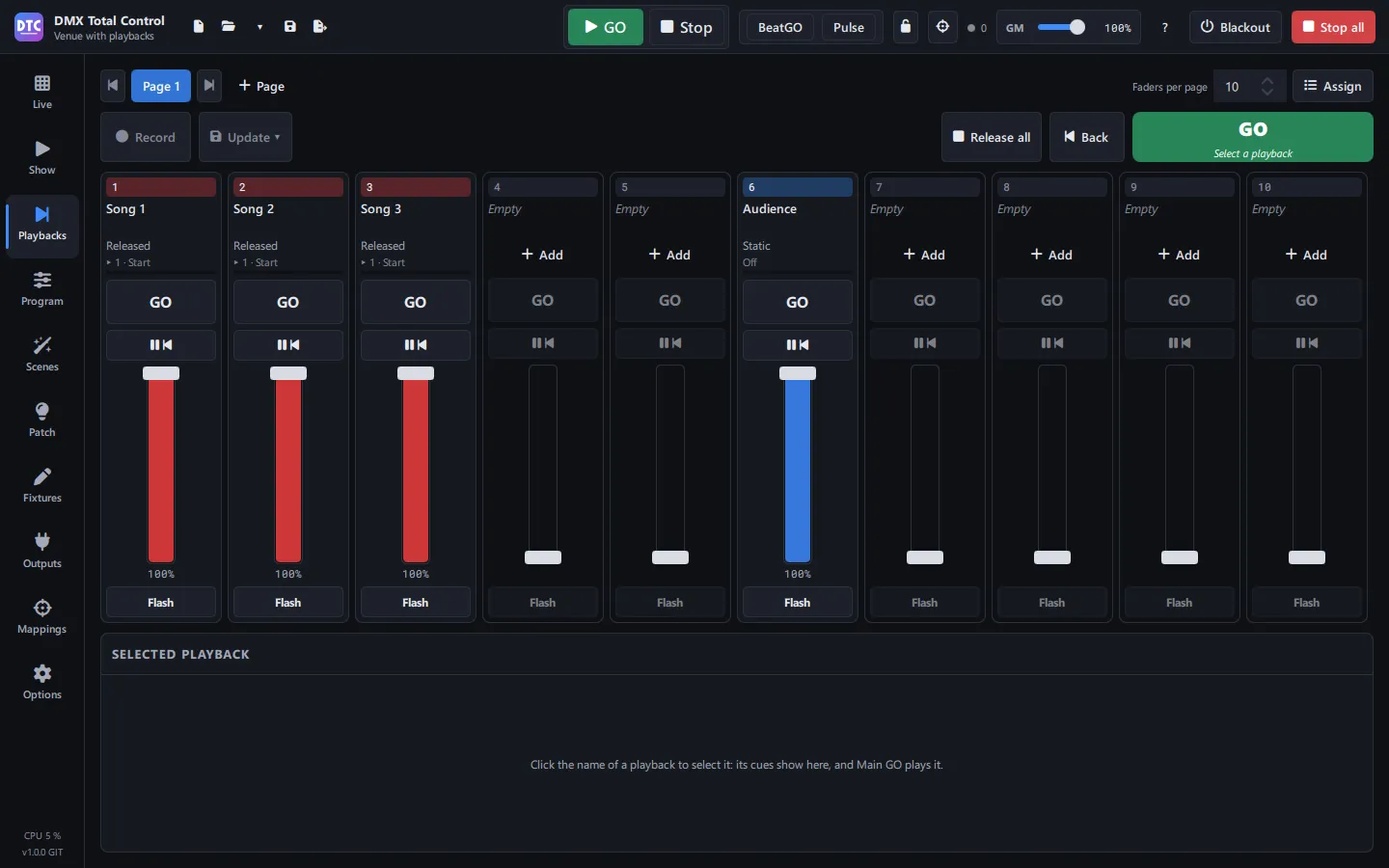
Pages of faders for your cuelists and scenes, with GO, Pause/Back and Flash, like on a console.
- Several playback pages, from 8 to 20 faders
- Record straight into a playback from the programmer
- Templates for the Akai APC mini, APC mini mk2 and APC40 mkII, with their LEDs
SHOW and remote control
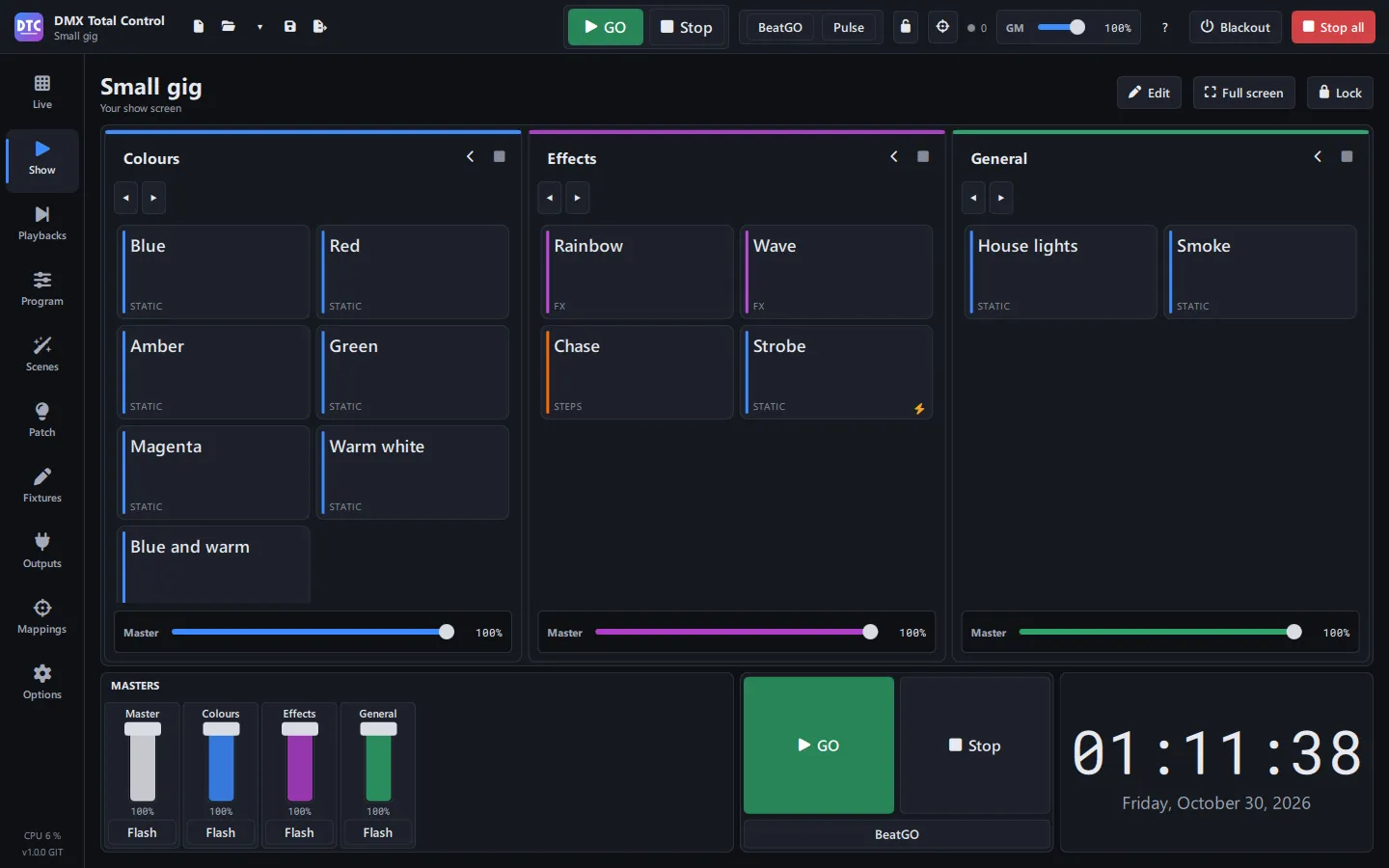
Your own operating screen: you build it to suit you and use it on the computer, a touch screen or your phone.
- Sections that split into halves and fill with buttons, faders or dials
- Colour wheel, XY grid, group panels, clock, timer, notes, BPM and DMX levels
- Alt+click brings any control of the program to the SHOW
- Full screen, kiosk mode and password lock
- The SHOW on a phone or tablet over wifi, with a PIN and nothing to install
Mappings and controllers
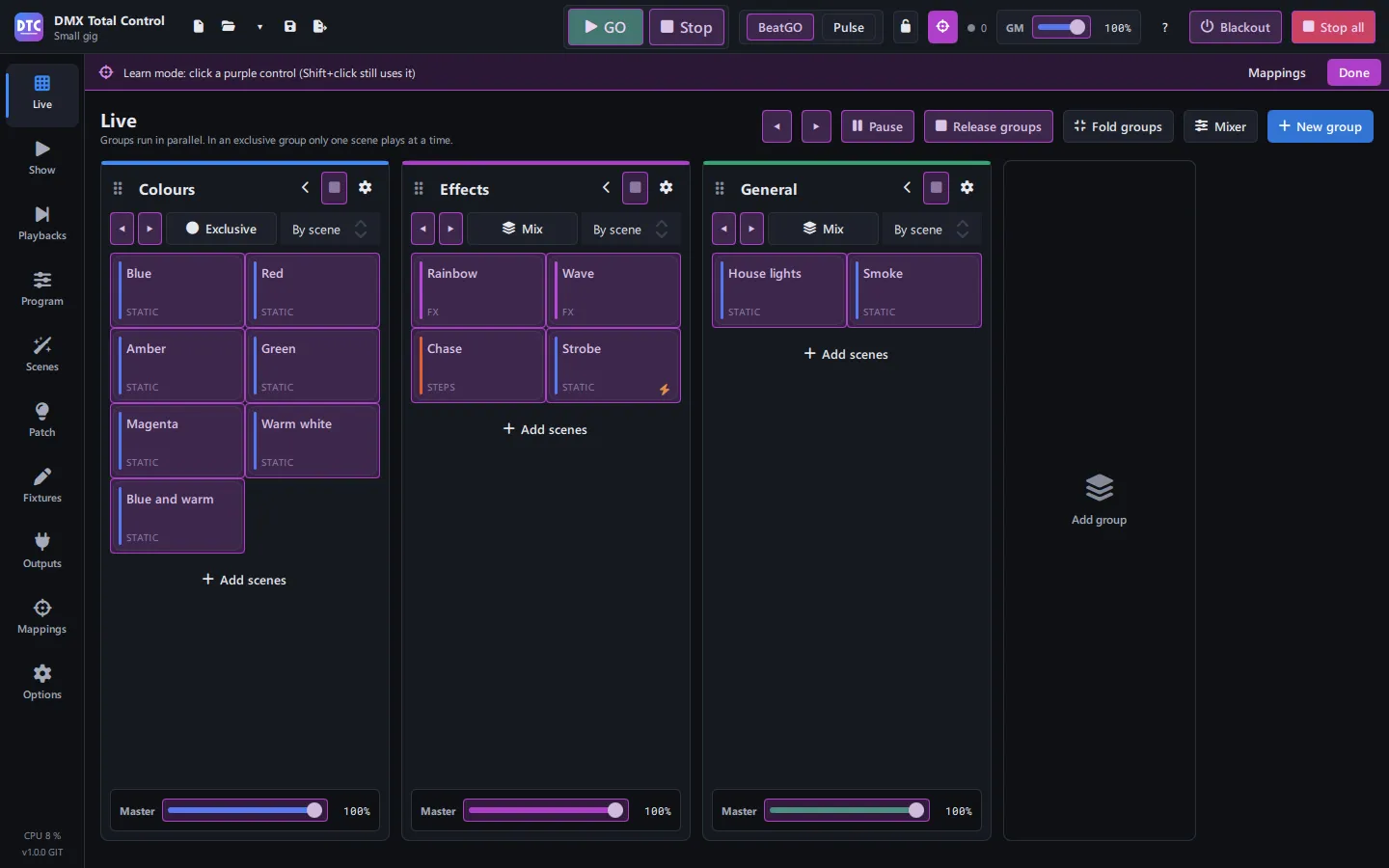
Any control of the program on your controller: turn on Learn mode, click the control and move yours.
- MIDI, OSC, DMX input and keyboard
- Buttons that toggle, flash, or only switch on or off; absolute or relative faders and endless encoders
- Feedback to LEDs and motor faders
- “Map it all” with templates for the Akai APC
- A monitor of incoming and outgoing messages
Patch and fixture libraries
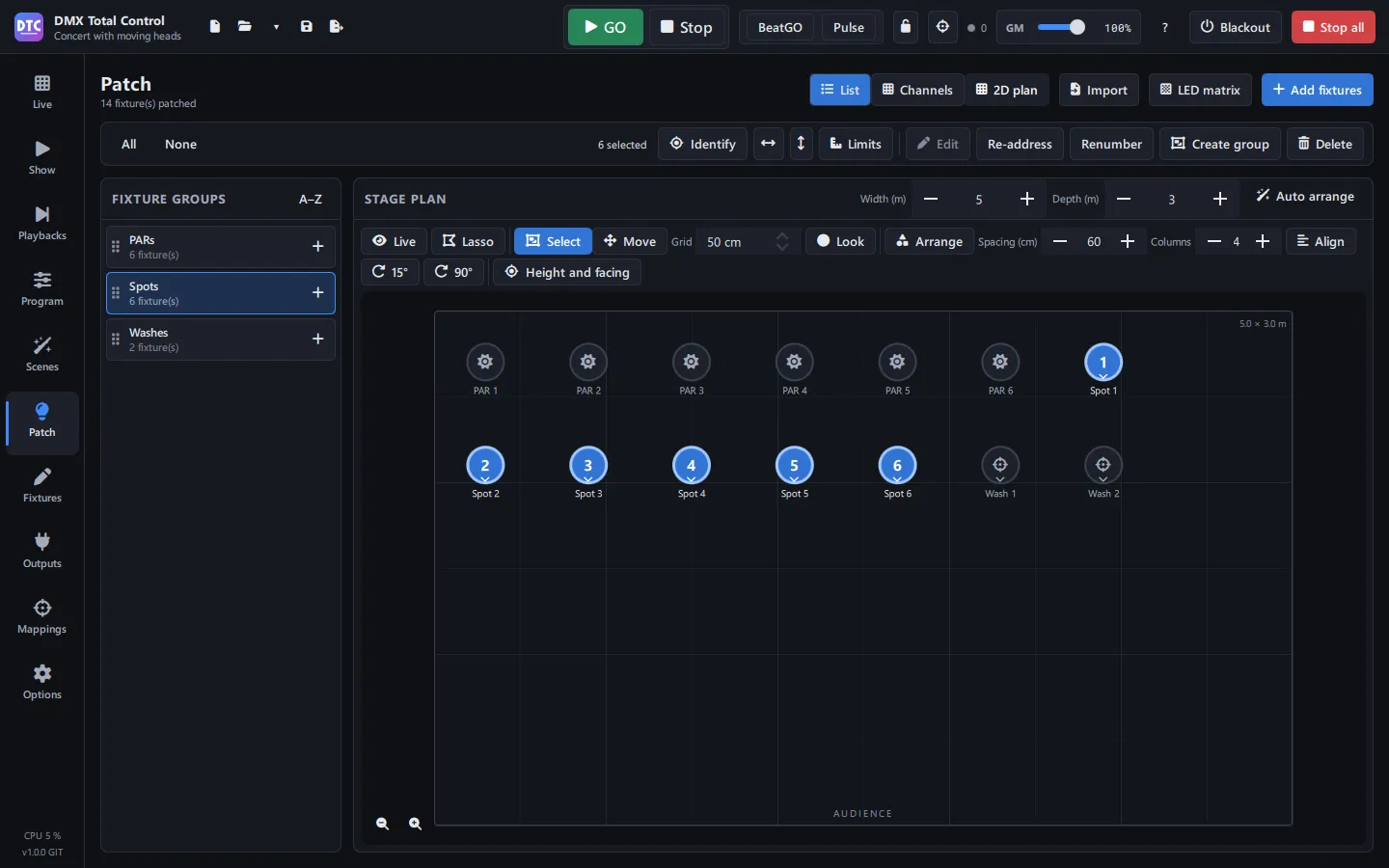
Set up your rig: fixtures, addresses, groups and their place on stage.
- 1,781 definitions from 146 manufacturers included, the Open Fixture Library, and GDTF and .qxf import
- Fixture creator with channels, presets, ranges and modes
- Next free address, bulk re-addressing and fixture numbers
- Fixture groups and a 2D plan with shape and orientation
- Limits per channel, invert pan and tilt, LED matrices and identify
Outputs
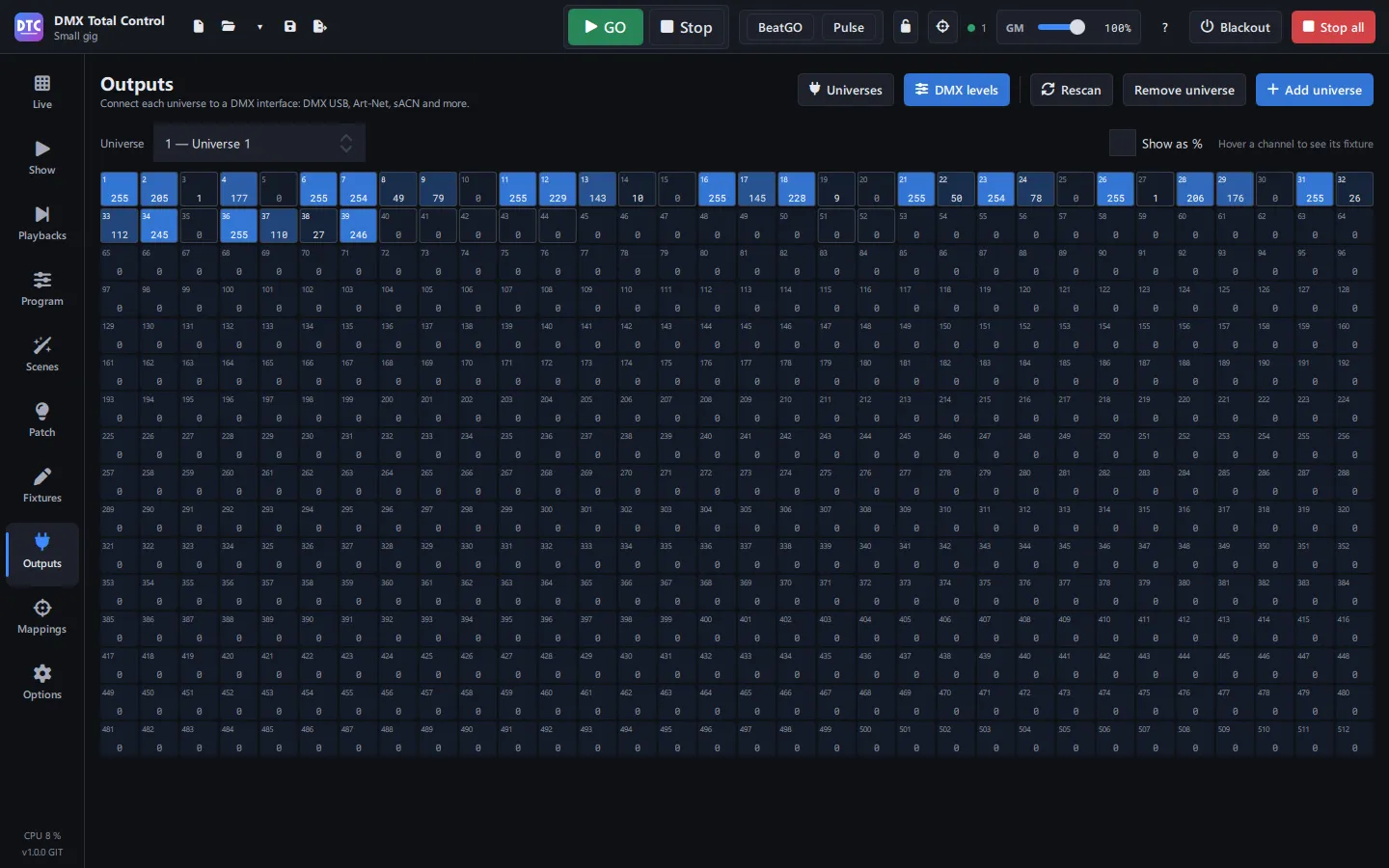
Each universe goes out through a USB DMX interface or over the network, and you see live what is being sent.
- USB DMX interfaces, Art-Net and sACN (E1.31), with no universe limit
- Live DMX levels for every universe
- DMX never stops, even when the program is busy
Peace of mind
- Blackout, grand master and “Stop all” always in the top bar
- Autosave and a recovery copy in case the program closes unexpectedly
- When you close it, the outputs send the stage at rest
- Six languages, dark, light, high-contrast and night themes, and the interface from 80% to 150%
- The manual inside the program: F12 opens it on the page you are on