Free and open source · Windows 10 and 11

Free DMX control, made for live shows

Fire scenes by groups with one button, program fast with palettes and FX, and build your own show screen, on your phone too. No licences, no USB keys, no account.

Version 1.0.0 · 27 October 2026 · 80 MB

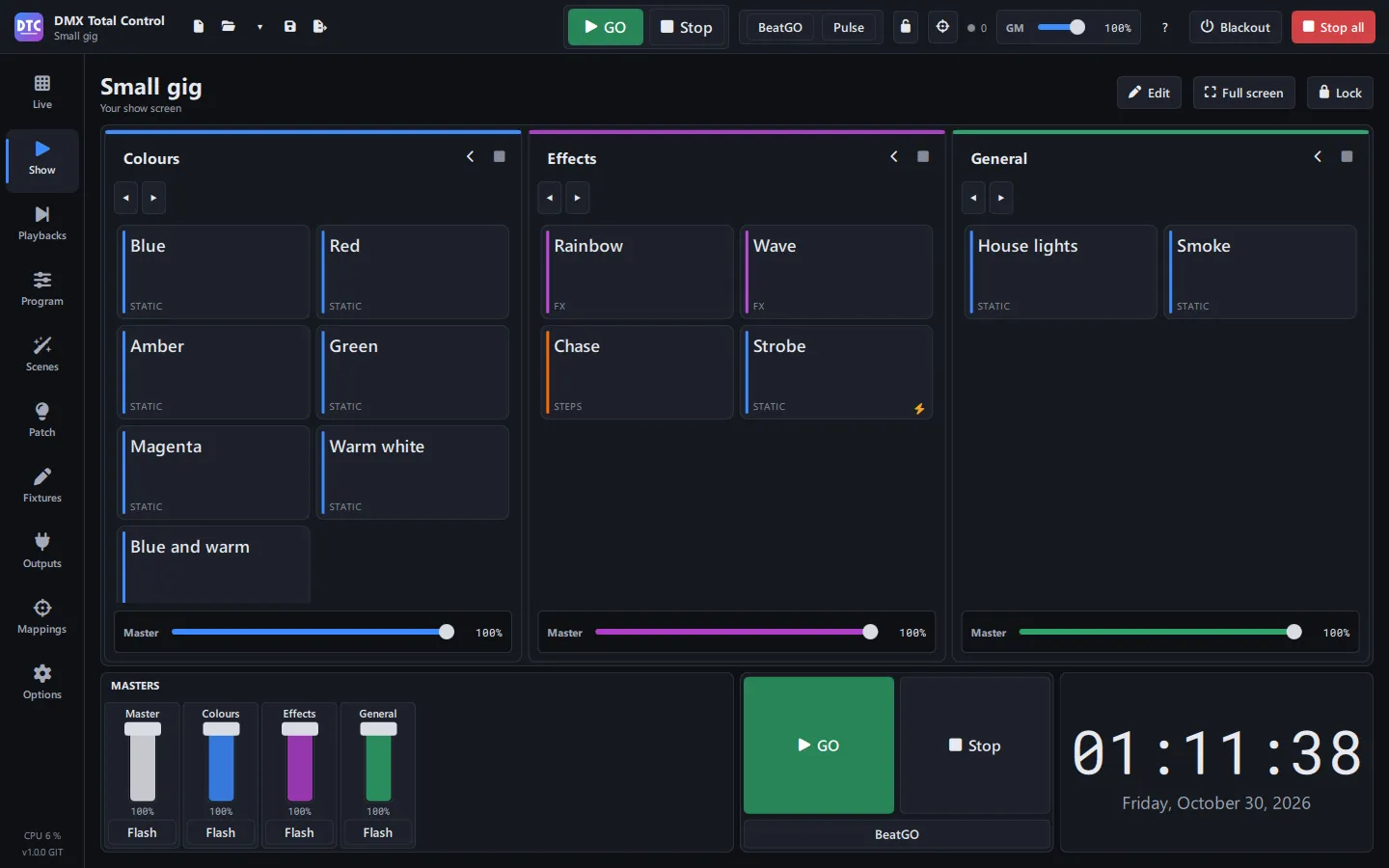
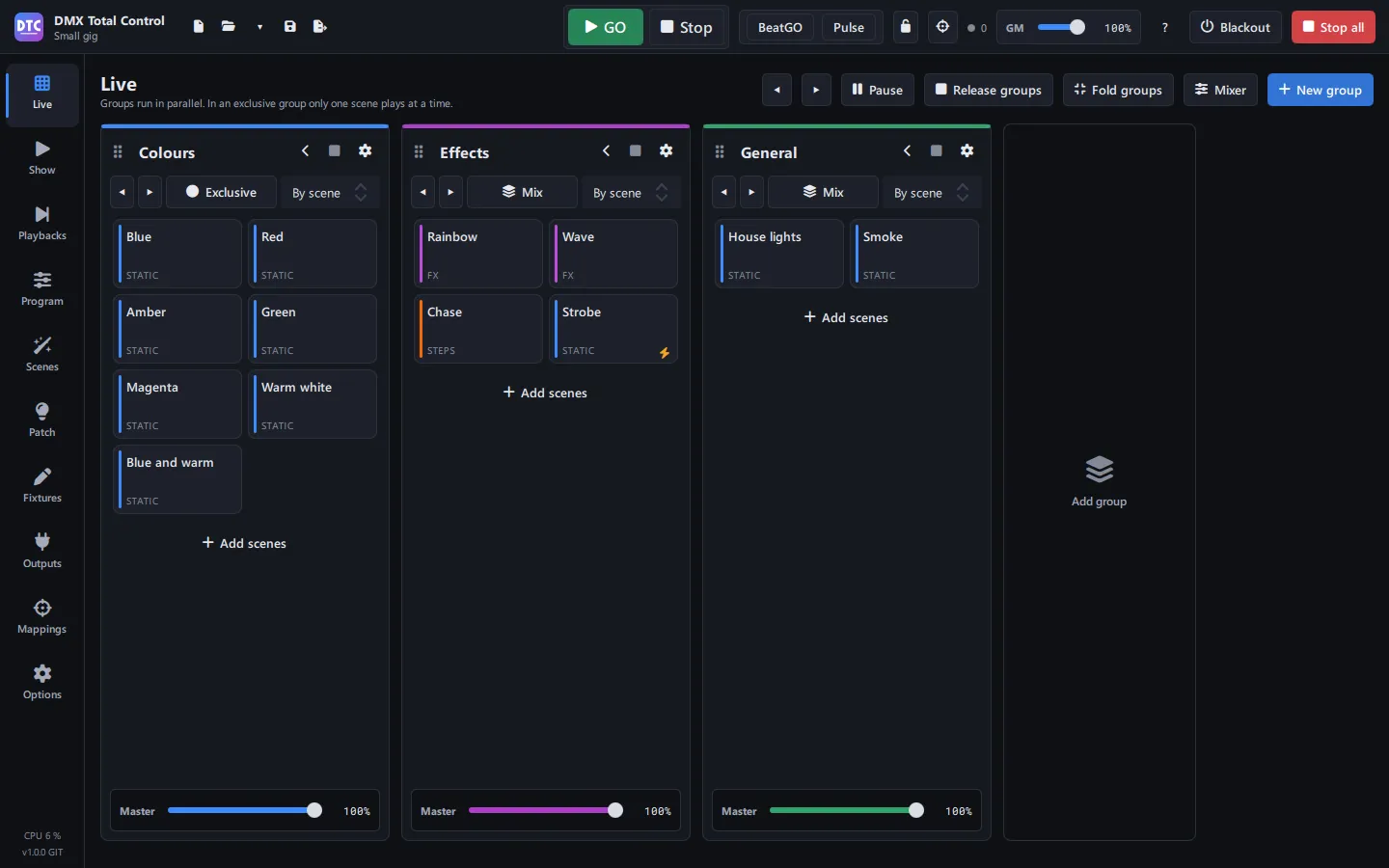
The Live page of DMX Total Control: three scene groups (colours, effects and general) with their masters
Features

Everything for the gig, in one program

From the patch to the last cue: program, fire and run the show with the mouse, a touch screen, a controller or your phone.

Live, by groups

Scenes sit in groups that play side by side. In an exclusive group only one plays at a time: press another and it crossfades. Each group has its master and fade time, and priorities decide who wins.

  • GO and Stop, BeatGO on the beat and Pulse from the audio input
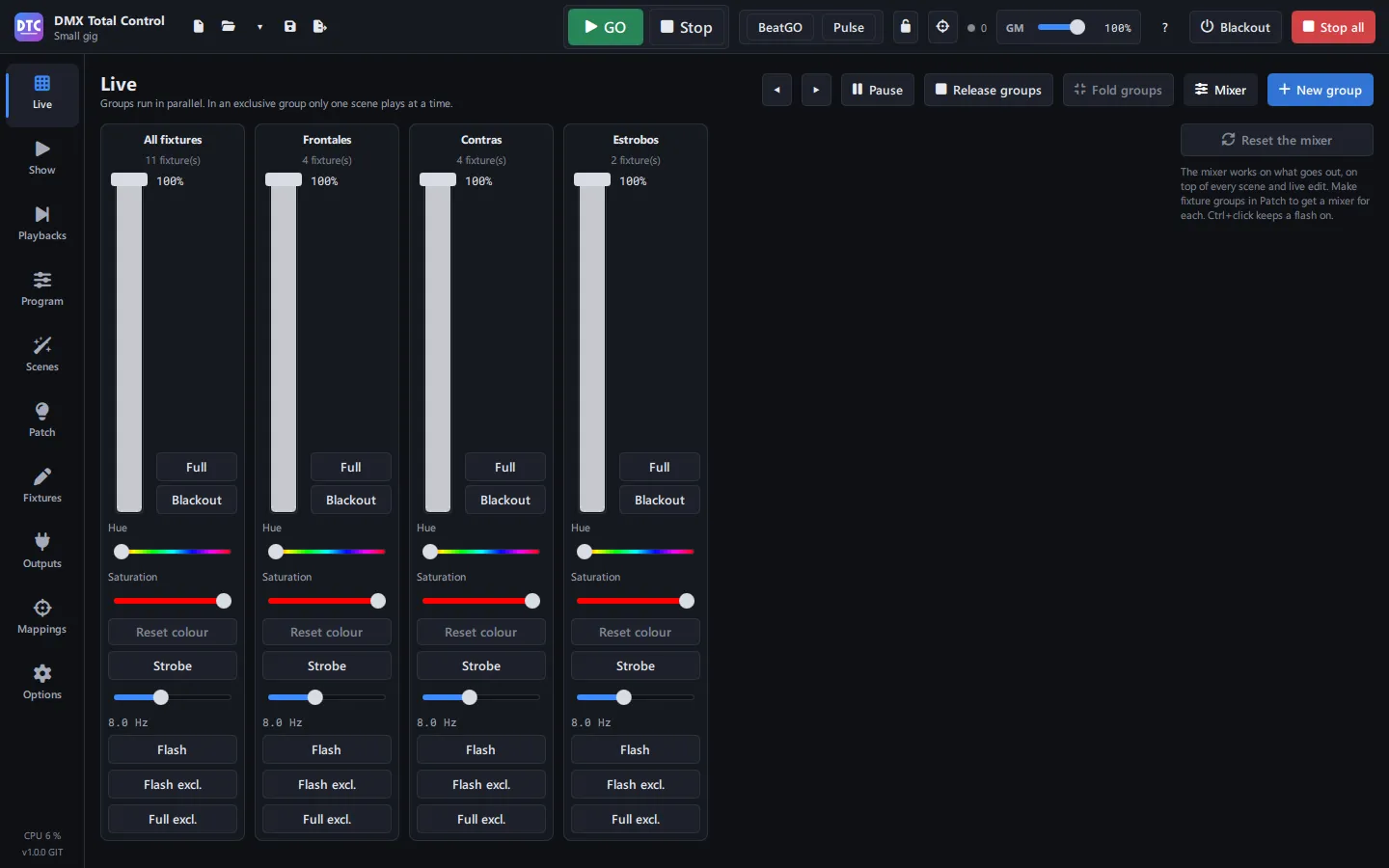
  • Live mixer: dimmer, colour, strobe, Full and Blackout
  • Grand master and blackout always at hand
In the manual
The live mixer of the Live page, per fixture group

Programming, with FX and palettes

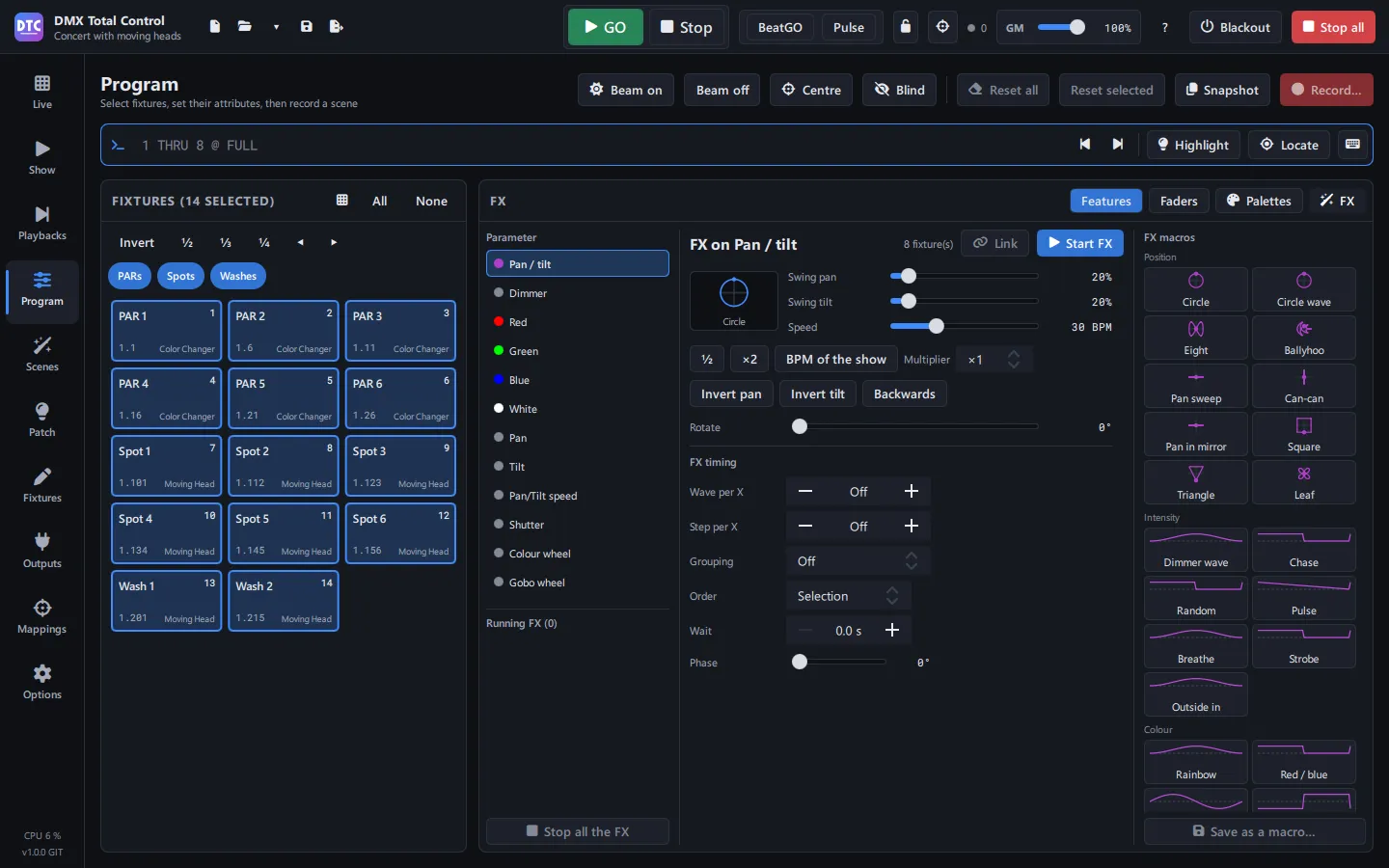
Select fixtures and give them dimmer, colour, position or any channel. Per-parameter FX with ready macros (circle, eight, dimmer wave, rainbow…), palettes that scenes follow by reference and a command line.

  • Select on the 2D plan, fans, blind, highlight and locate
  • “1 THRU 8 @ FULL” with an on-screen keypad
  • Each fixture with its own shape, size and direction on one clock
In the manual
A pan and tilt FX on the Program page, with its macros

Scenes, super scenes and cuelists

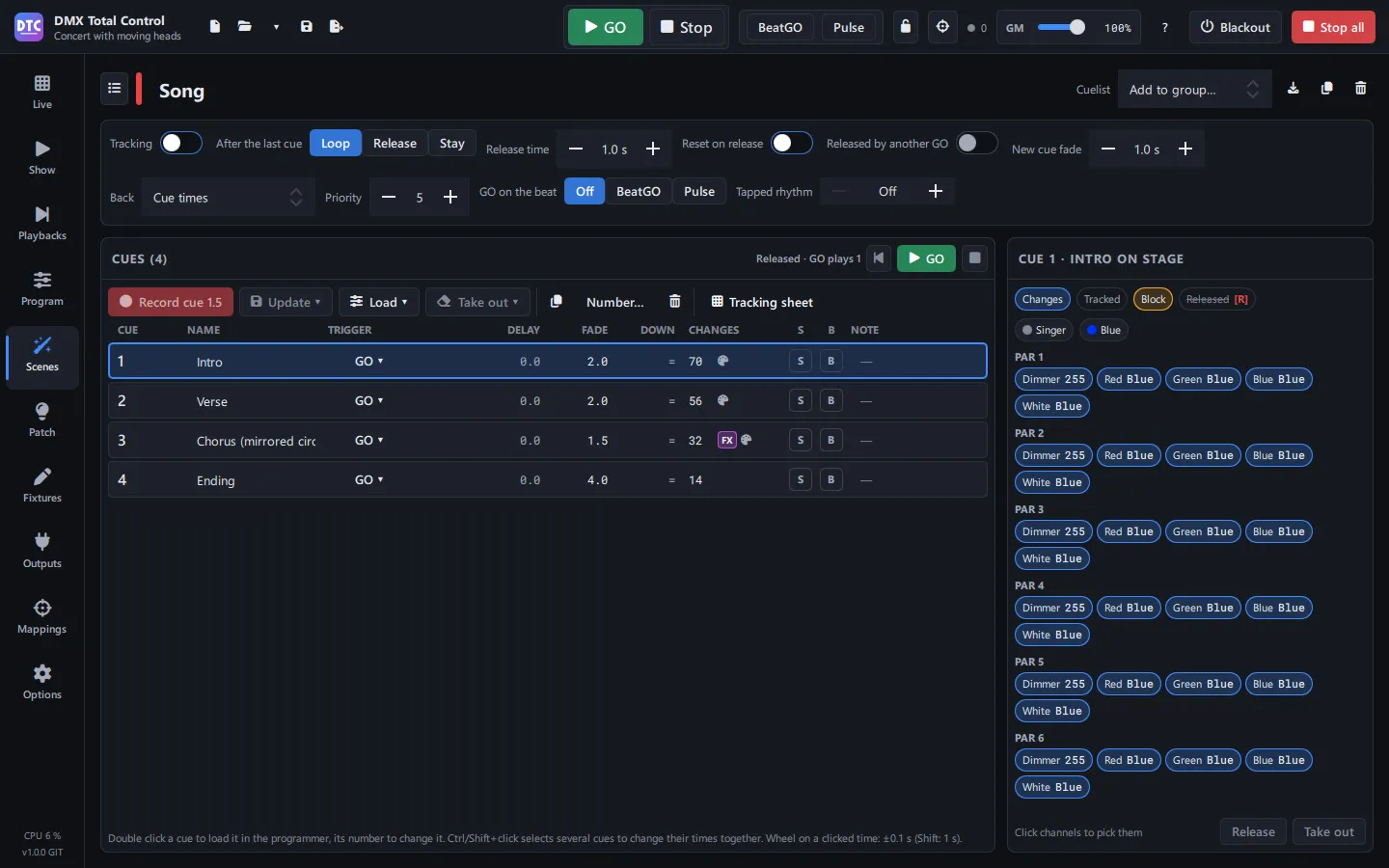
Static scenes, step scenes and FX, super scenes with a timeline and audio, and cuelists with tracking: each cue stores only what changes.

  • Folders by song
  • Triggered by GO, BeatGO or Pulse
  • Export and import scenes between shows
In the manual
A cuelist with its cues and what each one changes

Playbacks, like a console

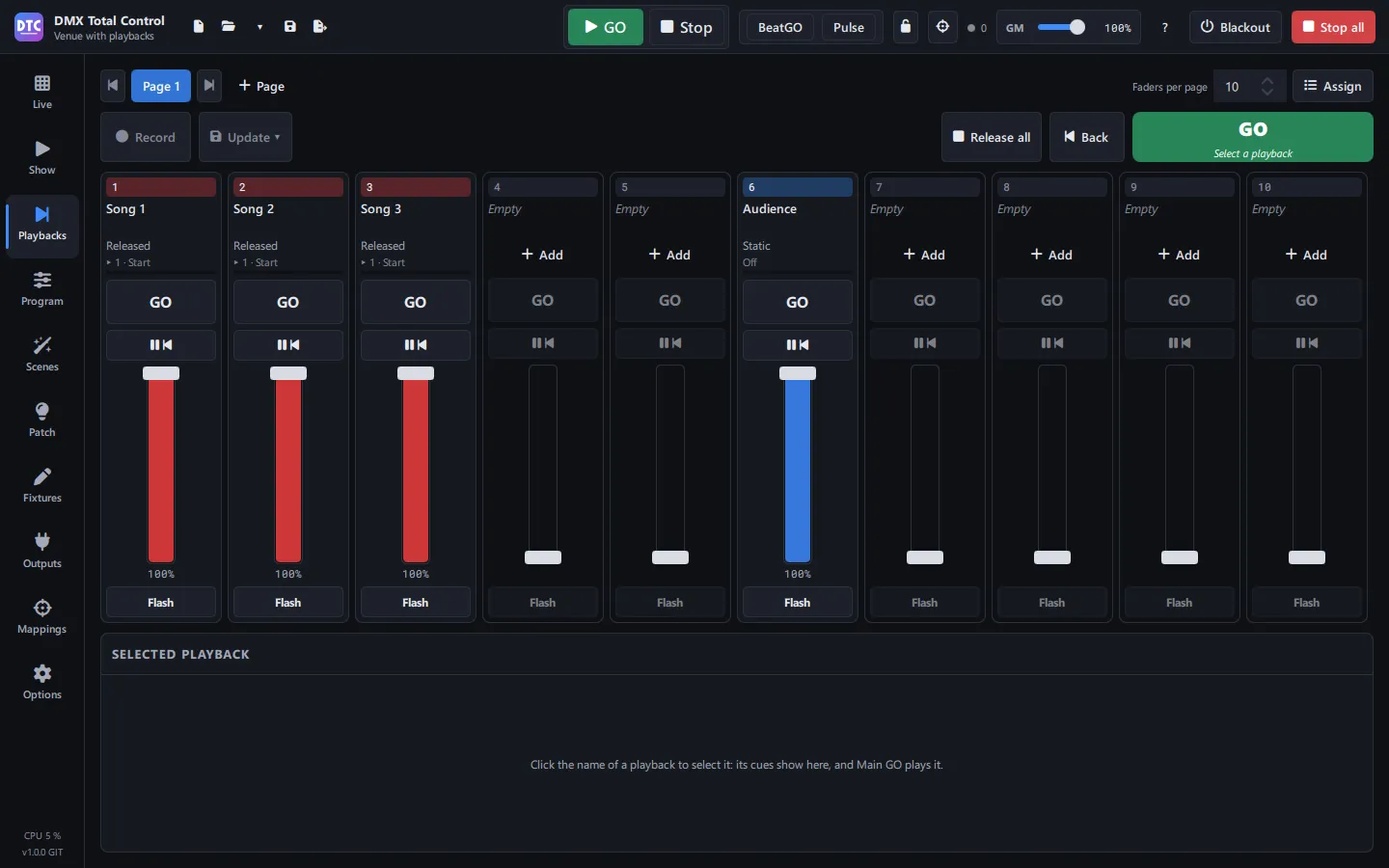
Pages of faders with GO, pause and flash for your cuelists and scenes. With templates for the Akai APC mini, APC mini mk2 and APC40 mkII, LEDs included.

  • Several playback pages
  • Record straight into a playback
  • Any MIDI or OSC controller with Learn mode
In the manual
The Playbacks page with one cuelist per song

Your SHOW, on your phone too

Build your own touch screen with buttons, faders, dials, a colour wheel, a clock and group panels. Open it on a phone or tablet over wifi, with a PIN, and lock it so nobody touches what they shouldn’t.

  • Sections that split and fill themselves
  • Any control of the program, one Alt+click away
  • Nothing to install on the phone
In the manual
A SHOW screen with groups, masters, GO and a clock

Patch and fixture libraries

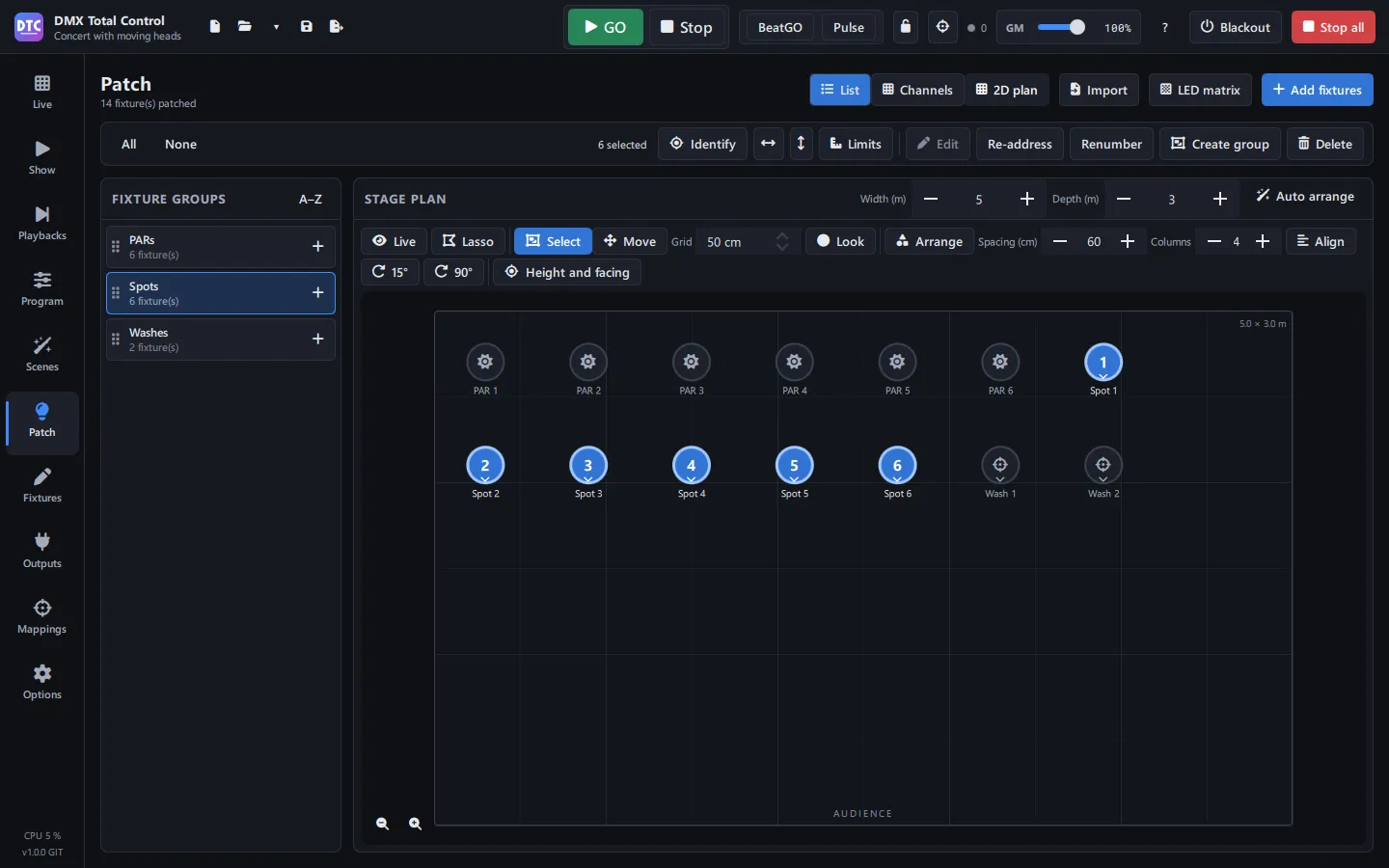
Thousands of fixtures included, the Open Fixture Library and GDTF import. Universes, fixture groups, a 2D plan, limits and LED matrices. And a fixture creator for anything missing.

  • Next free address and bulk re-addressing
  • Identify fixtures, which blink
  • Import fixtures from another show
In the manual
The 2D plan of the patch with PARs, spots and washes
Hardware

Works with what you already have

USB DMX interfaces

Enttec Open DMX USB and DMX USB Pro, Eurolite, DMXKing, uDMX, Peperoni and compatible ones.

Network

Art-Net and sACN (E1.31) for nodes, consoles and visualisers.

Controllers

Akai APC mini, APC mini mk2 and APC40 mkII with templates and LEDs. Any MIDI or OSC device, DMX input and the keyboard with Learn mode.

Phone and tablet

Your SHOW in the browser, over wifi, with nothing to install.

We keep testing it with more gear. If something doesn’t work with yours, tell us.

In your language

Help from the very first minute

  • Español
  • English
  • Português
  • Français
  • Italiano
  • Deutsch
  • The full manual in all six languages, inside the program (F12) and on this site
  • A first-steps guide that walks you through five steps
  • Example shows to open and try without setting anything up
  • Dark, light, high-contrast and night themes, and the interface from 80% to 150%
Free and open

Your lights, your shows, your program

Open source

Under the Apache License 2.0: use it for paid work too, study it and improve it.

Open format

Shows are saved as .qxw, compatible with QLC+: open your QLC+ shows as they are.

Updates itself

It tells you about each new version and installs it after checking its SHA-256 fingerprint.

Try it at your next gig

Free, no sign-up, ready in a minute.

Download free

Version 1.0.0 · 27 October 2026 · 80 MB